Invoice Review
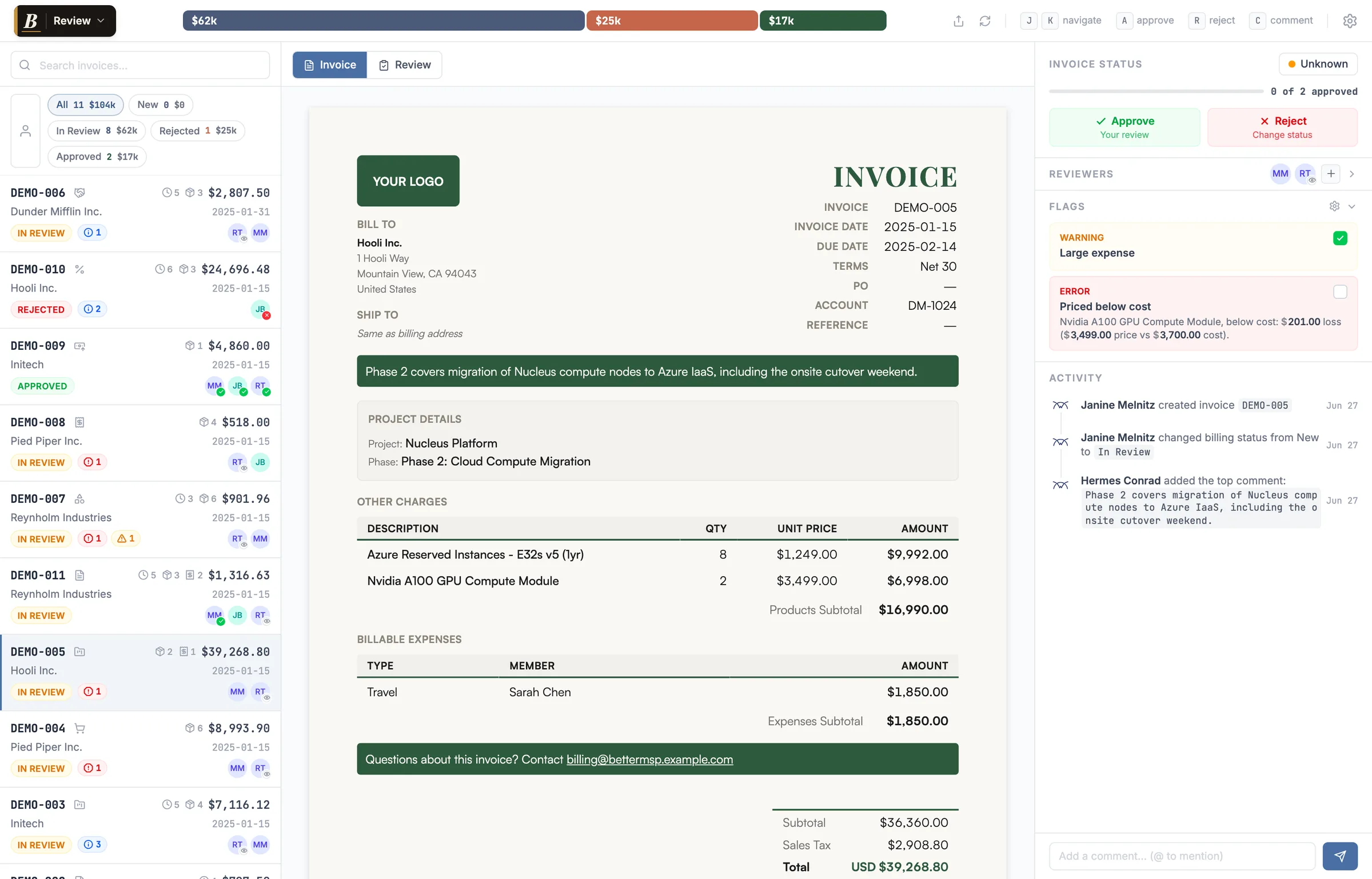
Every billing run hides a few landmines: a line under cost, a hundred-day-old time entry, an internal note that was never meant to leave your shop. Better Invoice reads every open ConnectWise Manage invoice, flags what's wrong in plain English, and routes it for sign-off. Every mistake caught before a single PDF ships.
Use in less than 5 minutes without a credit card or sales person.
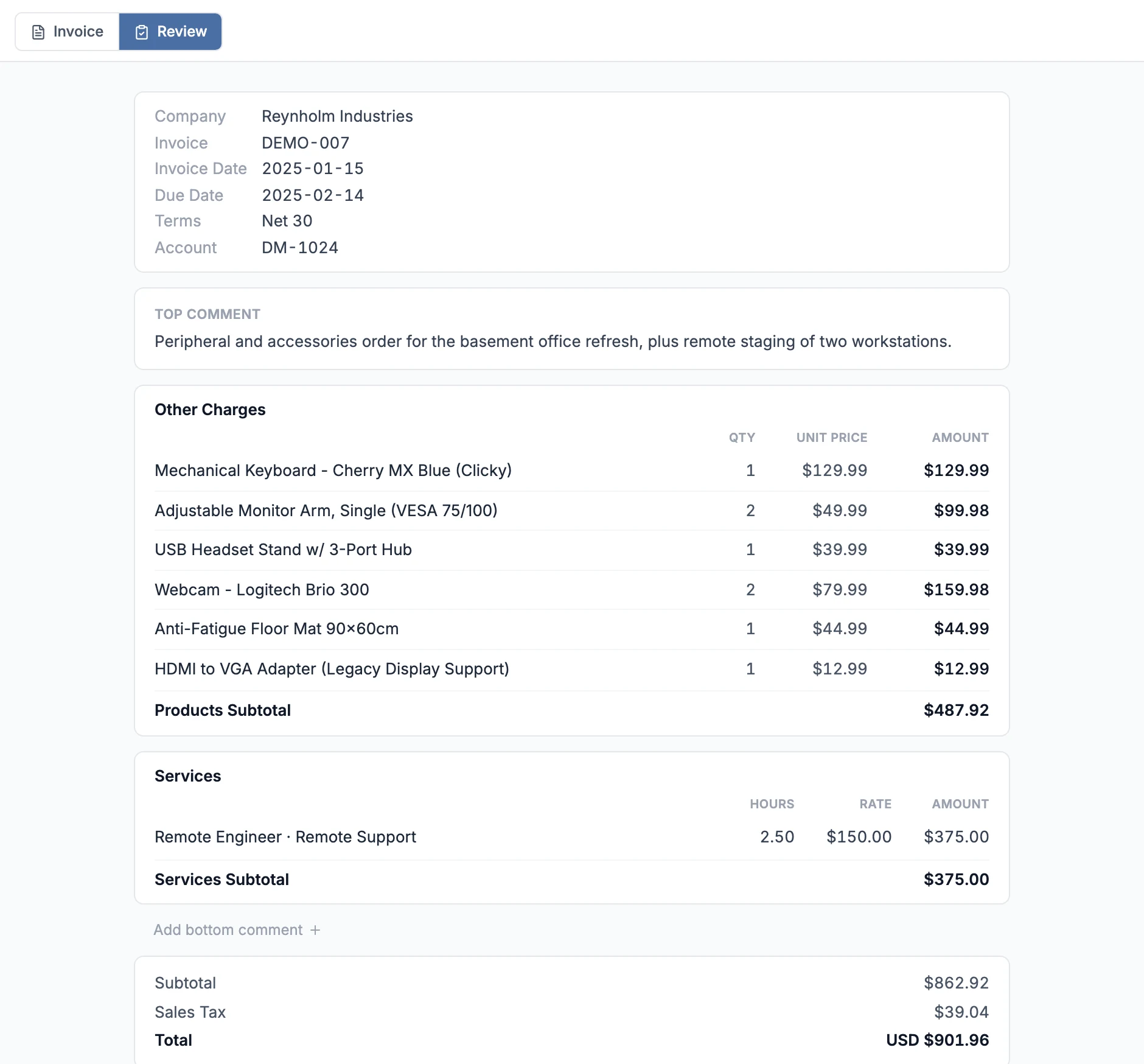
One screen: the rendered invoice, the flags, the reviewers, the whole history.
ConnectWise will happily generate and email an invoice with a problem baked in. Nobody catches it until the client does. By then it's a credit memo, an awkward email, and a dent in the relationship.
Automatic checks
Twelve built-in checks scan every open invoice and raise errors, warnings, and info flags. Each one carries the math and a deep link to the exact product, ticket, or time entry in ConnectWise Manage. Catch one a month and Better Invoice has paid for itself.
Nobody on your team decided to sell those laptops at a loss. The distributor raised the cost after you set your catalog price, ConnectWise billed the stale number, and a six-unit refresh shipped $210 underwater — buried in a $39,268 invoice nobody was going to catch by eye. That's one line, one invoice. Now multiply it across every product you resell, every billing run, every month. Better Invoice marks it red, shows the price-versus-cost math, and links straight to the product record so you fix the catalog, not just this invoice.
A 104-day-old entry, six hours of work behind thirteen thin lines, labor sitting on an internal Presales work-type. None of it is lost yet. While the invoice is still open, you can reinforce the weak lines, recategorize what's miscoded, and bill the time you actually earned. After it ships, the only options left are a credit memo or eating the cost.
Desktop & mobile
On your desktop, every invoice lays out as one clean, scannable sheet: time entries, products, expenses, and notes, with flagged lines marked right where they sit. No rendering a PDF and squinting at it.
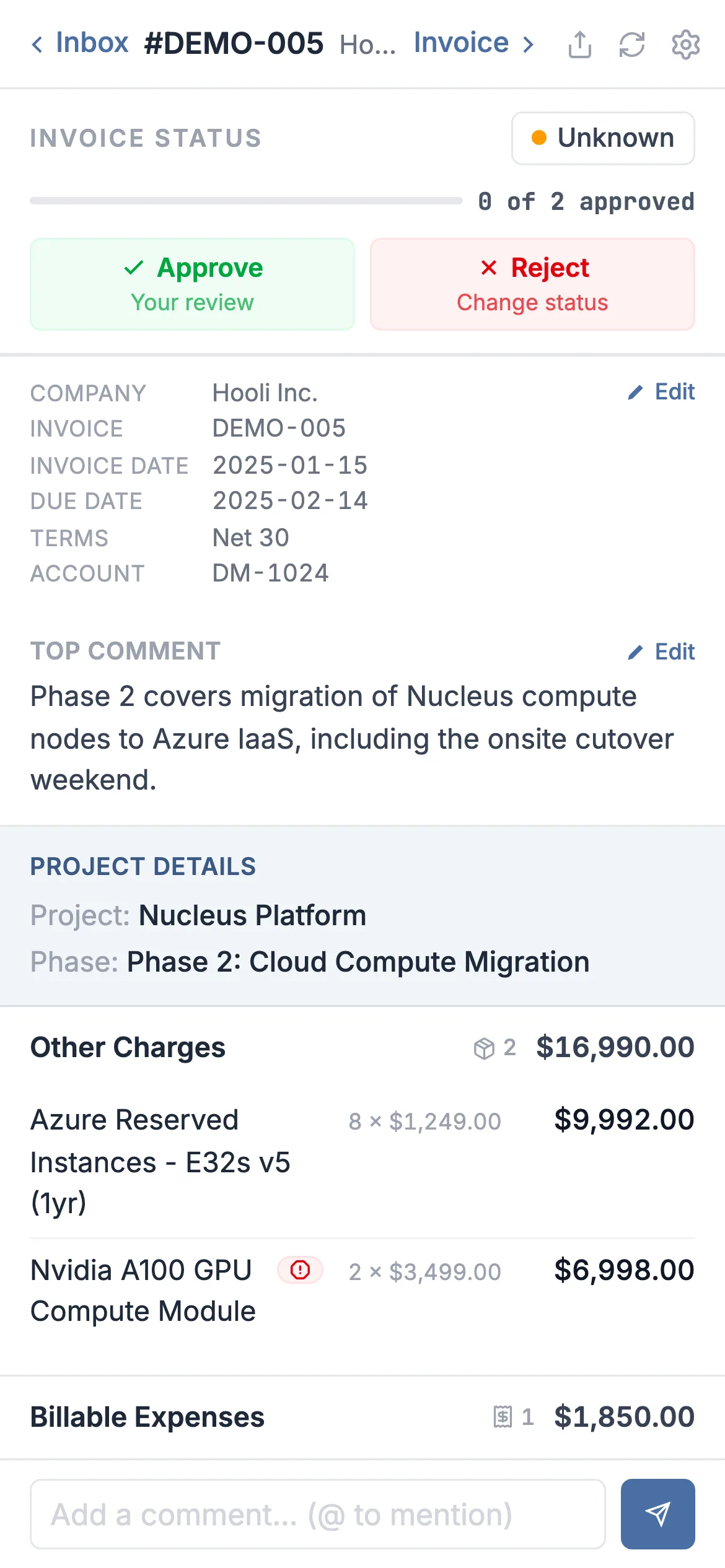
And the whole queue travels. Open a flagged invoice on your phone from the couch or the checkout line, read the thread, and approve or reject on the spot. Your guest reviewers get the same thing, with no app to install.
Internal notes
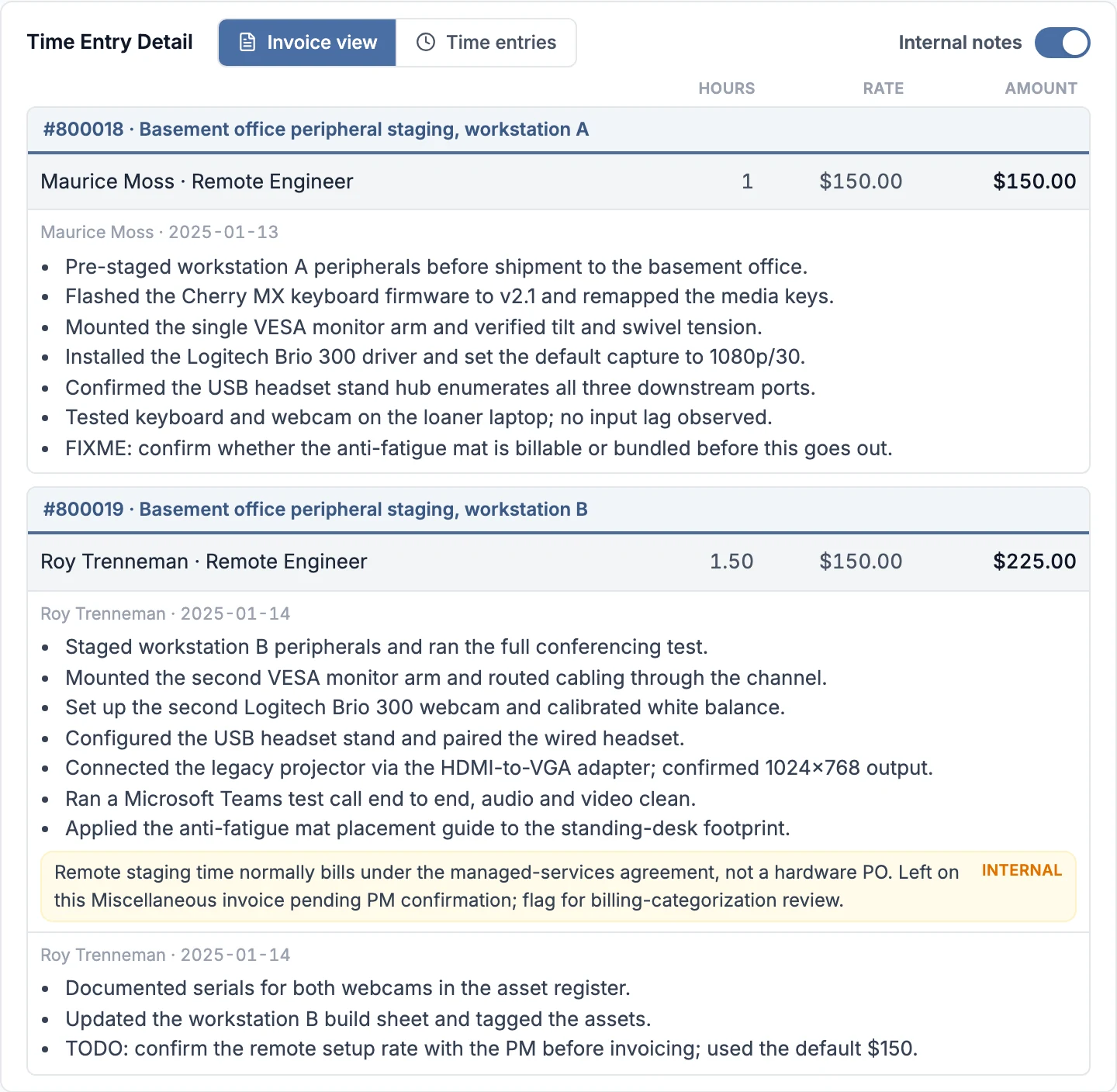
The customer-facing work notes are what actually lands on the invoice, so they have to read right before it goes out. Sitting behind them are the internal notes your team left for each other: the context that tells you whether the line is coded right and belongs on this invoice at all.
It's also what you need to make a weak line stronger. When a description reads too thin to bill with confidence, the background behind it tells you what actually happened, so you can reinforce the customer-facing notes yourself or send it back to the tech to flesh out, before the invoice goes out.
Comments & @mentions
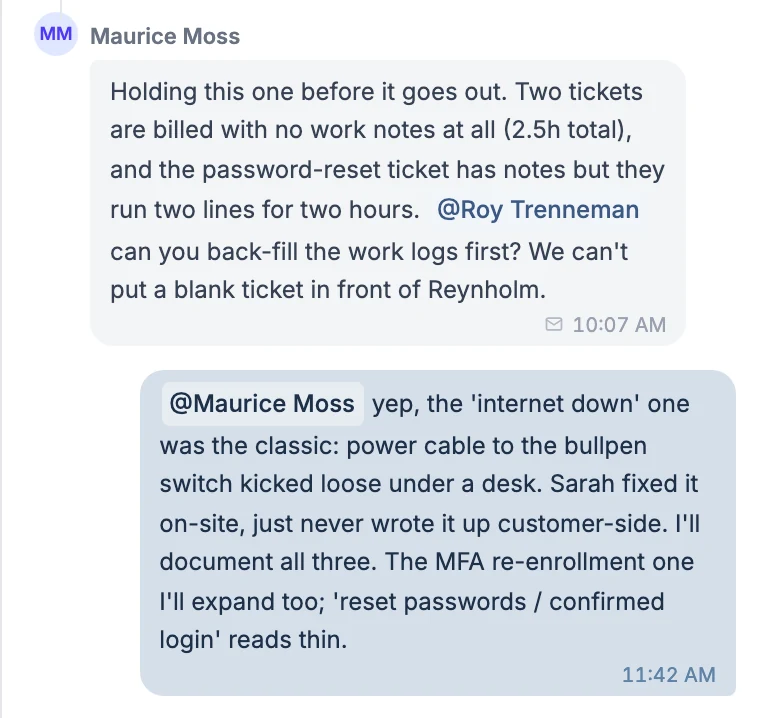
@mention any ConnectWise member right on the invoice. Loop them in as a reviewer, or just email them the comment in the same step. The whole thread stays attached to the invoice instead of buried in someone's inbox.
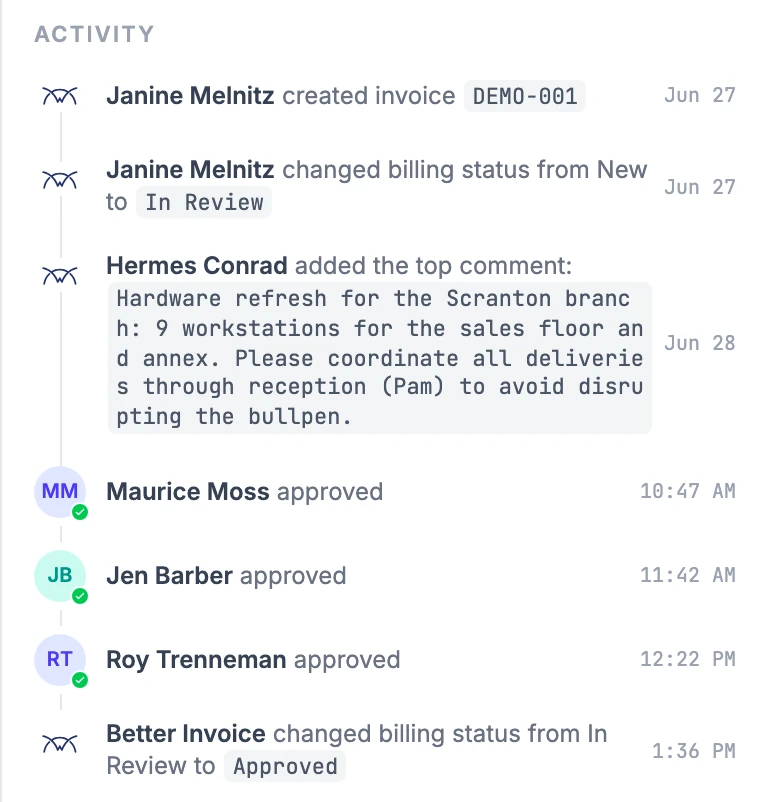
Activity & audit trail
Comments, approvals, rejections, and status changes land on one timeline, alongside the ConnectWise events that matter: billing-status changes, payments, credits, and emails. Guest and email actions are marked, so you always know who acted and how.
It's a streamlined log of what's happened to an invoice. When someone asks who approved what, the answer is one scroll away. Read more in activity & audit trail.
ConnectWise Manage already has a pre-send review concept — Invoice Routing. It hands an invoice from one person to the next, but it can't tell you why an invoice needs a second look.
Better Invoice keeps what works and adds what's missing. It seeds reviewers directly from your existing Invoice Routing list, so there's nothing new to set up — then layers on automatic flags, threaded comments, guest sign-off, and a full audit trail on top of the same workflow your team already knows.
Instead of passing an invoice along and hoping the next person spots the problem, your reviewers open it with every issue already surfaced and explained.
A consistent pre-send review is the difference between catching mistakes internally and explaining them to a client. These guides walk through the workflow, the approval chain, and a checklist you can adopt today.
Start for free. Your invoices should look as good as the work you do.
Get started free →